


A GDI Smart Rotator is one simple link (a shared system) that routes people through a rotation, to support promotion and or team placement, depending on how it’s being used.
If you’re new to making money online, this should feel refreshingly basic. It’s not complicated tech, and you don’t need to be “a computer person.” It also isn’t a guaranteed-income shortcut. Think of it like a traffic director, not a money printer.
Here’s what you’ll learn in this post:
- What it is (in plain English)
- How it works, click to destination
- What you do each day (a realistic routine)
- Common mistakes to avoid
- What realistic results depend on
Calm disclaimer: results vary. Consistency and basic tracking matter. Also, always verify current pricing, trial terms (including the 7-day free trial), and cancellation details directly before paying anything.
What the GDI Smart Rotator Is (Explained Like You’d Tell a Friend)
At its core, the GDI Smart Rotator is a “rotator link” system people use in a home base business. Instead of juggling five different links for five different pages, you share one main link, and that link can send visitors to different pages based on how the rotator is set up.
This is why rotators show up so often in side hustle communities. Most beginners don’t fail because they’re lazy. They fail because everything feels scattered. A rotator is one way to reduce that scatter.
The simple definition (“say it like this”)
Say it like this: a rotator is one link that can send visitors to different pages based on a rotation.
That’s useful because it helps with organization, basic testing, and (when used for team systems) fair distribution. It also cuts down link clutter. One link in your bio, one link in a pinned post, one link you can share in a message, without constantly swapping it.
What it is not (avoid the most common misunderstandings)
It’s not a magic button for making money online.
It’s not a replacement for learning basic marketing (posting, messaging, and explaining what you’re doing in simple words).
It’s not an excuse to avoid follow-up.
And it’s not proof of profit. Results still depend on traffic, the offer, and your consistency. The rotator organizes the flow, it doesn’t create the flow.
Where you’ll see it (including “My Cash Multiplier”)
Many people first notice it through the “My Cash Multiplier” page at gdirotator.com/mycashmultiplier.
What you typically notice there is a rotator style link, landing or offer pages being promoted, and sometimes tracking elements (depending on how that page is configured). The main takeaway is simple: it’s a single entry point designed to direct visitors where the system wants them to go next.
How the GDI Smart Rotator Works (A Step-by-Step Flow)
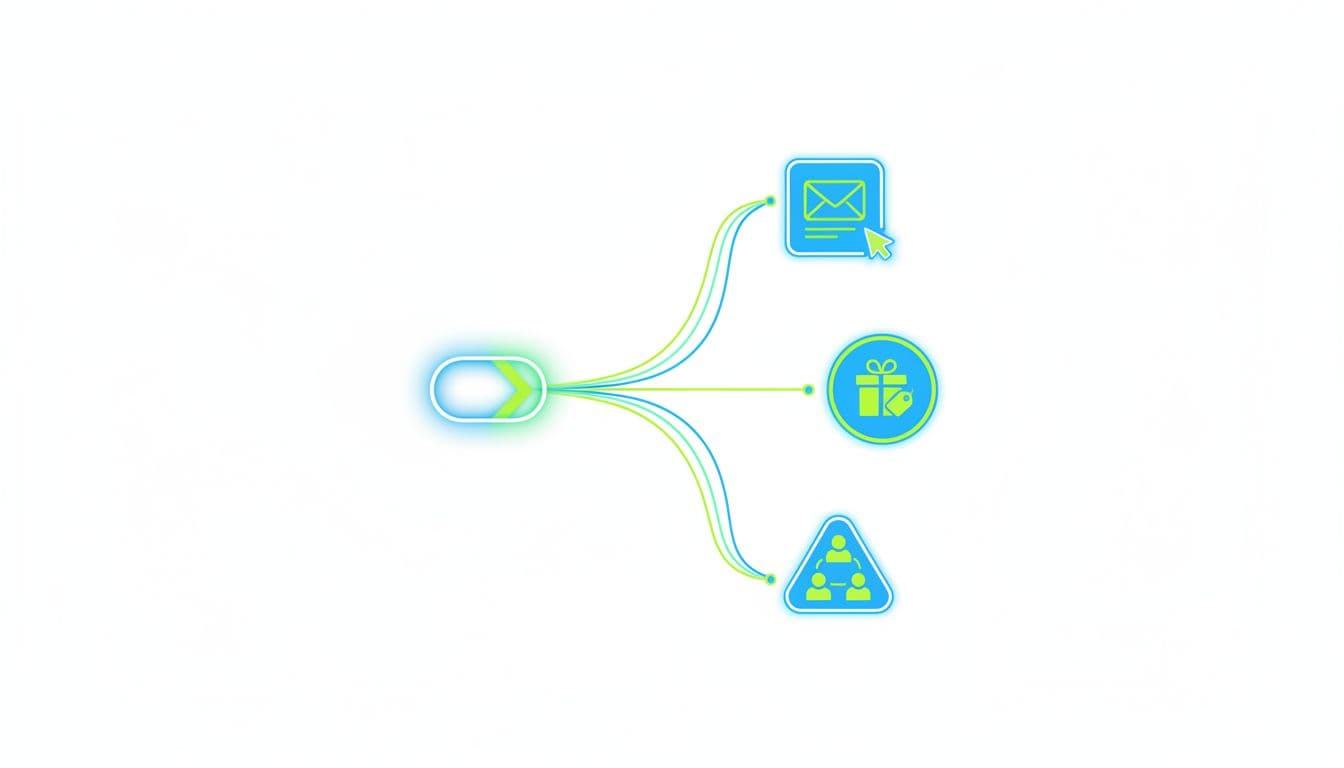
A good mental model is a hallway with a few doors. Everyone enters through the same front door (your rotator link), then the system directs them to one of the doors (a page in the rotation). You’re not building a maze. You’re building one clean entrance.
The rotator concept: one link that can point to many pages
Rotation can be set up in different ways, depending on the system’s settings. Common patterns are random (each click has a chance), round-robin (in order), and weighted (some pages get more traffic than others, if supported).
You don’t need to obsess over the settings at first. Your job is to keep the pages consistent and track outcomes long enough to learn something.
The visitor journey after someone clicks (4 steps)
- You share one rotator link.
- A visitor clicks it.
- The system forwards them to one page in the rotation.
- The visitor opts in, watches, reads, or buys, depending on that page.
That’s it. The power is in repetition, not complexity.
Why people use rotators in a Home Base Business
Rotators help when you’re building a home base business because they reduce decision overload. You can promote the same link across platforms, keep your message consistent, and still test small improvements behind the scenes.
If you’ve ever thought, “I posted, but I don’t even know what worked,” a rotator plus simple tracking can fix that.
Where “automation” fits (grounded, not hype)
Automation here means repeatable steps, not hands-off income.
Practical examples: using one main link in your profiles, running a basic follow-up sequence if you collect emails, and doing a simple weekly review of clicks, leads, and signups. Automation saves time and keeps you steady, even on busy weeks.
What It’s Used For (Practical Use Cases)
Most people use the GDI Smart Rotator for one of four reasons. The best results come when you pick one reason at a time, and build around it.
Use case 1: Lead capture for a side hustle
If you’re building a side hustle, lead capture is often the cleanest starting point. You can rotate 2 to 3 opt-in pages and see which one converts better, based on where the traffic comes from.
Short-form social often needs a simpler page. YouTube and blog traffic can handle more detail. Start simple, then tighten based on what people actually do.
Use case 2: One link, multiple related offers (without confusing people)
A rotator can also help when you have more than one related offer, but you don’t want to look scattered.
The key is to keep the pages in the same “family.” Same audience, same general promise, same tone. If your link says “work from home basics” and one page is about hosting, another is about crypto, and another is about weight loss, people won’t trust the next click.
Use case 3: Team Build support and fair exposure (when it helps vs. hurts)
In simple terms, “distribution” means traffic or placements get shared among members.
This can help when you want a system that gives newer people a real shot at exposure, and you want a repeatable setup new members can copy. It can hurt when it becomes an excuse to avoid ownership. If someone never follows up, even “fair exposure” turns into wasted clicks.
Use case 4: Testing and simple optimization (without getting technical)
Rotation can act like basic A and B testing. Don’t test ten things at once. Test one change at a time, like a headline, call-to-action text, short vs long page, or video vs no video.
Also, be realistic. If you only get a handful of clicks a week, your “winner” might just be luck. Give it time.
Who the GDI Smart Rotator Is For (And Who Should Skip It)
This is where you save yourself time and frustration.
Best fit (who usually benefits most)
It’s a good fit if you want a simple system, you’re building a home base business with limited time, you want one shareable link for your side hustle, or you lead a team and need a repeatable setup for new members.
It also fits people who prefer steady routines over hype. If you can do small actions daily, you’re in the right zone.
Not a great fit (common reasons people get disappointed)
People get disappointed when they won’t drive traffic at all, they change offers every week, they refuse basic tracking and follow-up, or they expect results without learning simple skills like posting and messaging.
A rotator can support effort. It can’t replace it.
What You Need Before You Use It (Clean Prerequisites)
You don’t need a giant tech stack. You need a few clean basics.
Traffic basics: pick one source and a simple schedule
Pick one primary traffic source: Facebook groups (follow rules), short-form video, YouTube, or blogging (SEO). Then set a schedule you can keep even when life gets loud.
A realistic starter rhythm: 3 short posts per week, 1 longer post per week, plus 10 to 20 meaningful replies or comments per day if you use social. Not spam, real conversation.
A clear offer path (no clutter)
Keep one main offer path. You can have an optional backup later, but don’t start with five directions. Clarity beats variety, especially for beginners trying to make money online.
A simple follow-up plan so clicks don’t get wasted
Choose one follow-up method and run it daily: a short email sequence, a simple DM script, or a calendar link for calls (only if you can handle calls). Consistency wins here, even if your follow-up is short.
How to Set Up a Simple Rotator Plan (Step-by-Step)
This is the beginner plan that keeps you out of the weeds.
Step 1: Choose the goal for the rotator
Pick one goal: lead capture, direct-to-offer, Team Build exposure, or testing pages. One rotator should have one main goal at a time, or your tracking gets muddy fast.
Step 2: Pick the pages to rotate (start tight)
Start with two pages (three max). Keep them aligned to the same audience and message. If you’re promoting a home base business, both pages should speak to the same kind of person with the same kind of problem.
Step 3: Name and organize your links so you don’t create chaos
Name links so you can tell what happened later. Simple patterns work best, like “YouTube-Jan2026-OptinA” or “FBGroups-Jan2026-Page2.” Save everything in one doc or spreadsheet so you’re not hunting through old messages.
Step 4: Add minimum effective tracking + a weekly review
Track only what matters: clicks, opt-ins (if used), and sales or sign-ups (if applicable). Set a weekly 10 to 15 minute review, then make one decision: keep, remove, or test one new variation.
A Simple Daily Routine That Matches Real Life (Not “Hustle Culture”)

A side hustle should fit your life, not replace it. The goal is a routine you can repeat when you’re tired.
The 20-minute daily plan
Spend 5 minutes replying to messages and comments, 10 minutes posting one piece of content (a short post, a quick video, or strong comments that help people), then 5 minutes logging clicks or leads.
Small, steady, and trackable.
The weekly plan (one longer block)
Once a week, take 30 to 45 minutes to update one page (headline or call-to-action), remove the weakest page if the numbers are clear, and add one new test only if you have enough traffic to learn from it.
The “don’t quit” rule (how to avoid false conclusions)
Give each change a full week before judging it. Swapping pages daily feels productive, but it ruins clean data and creates emotional decision-making.
Common Mistakes (And Quick Fixes)
Mistake: rotating unrelated offers
Fix: keep one clear promise across the pages. The visitor should feel like they stayed on the same path, not got thrown into a random aisle.
Mistake: no follow-up
Fix: write a basic follow-up script (even five sentences) and run it daily. Most beginners lose because they stop at the click.
Mistake: expecting automation to replace effort
Fix: treat automation like a checklist that saves time. It’s not a substitute for posting, replying, and reviewing results.
Mistake: too many links in the rotator
Fix: start with 2 to 3 pages until traffic is steady. Expand only when you can measure outcomes.
Mistake: no plan for Team Build quality
Fix: use a simple onboarding checklist for anyone you refer (first post, first follow-up message, first weekly review). Duplication improves when people feel ownership, not confusion.
Trust, Safety, and Realistic Expectations
If you’re thinking, “Is this legit?” that’s a fair question. A calm filter beats hype every time.
What “legit” should mean to you (a plain checklist)
A legit offer should have a real product or service, clear costs and cancellation terms (including how the 7-day free trial rolls into paid billing), no income promises, and clear access to support or training (if offered). Verify official details directly before you commit.
What results usually depend on
Results usually depend on traffic volume, match between traffic and message, follow-up consistency, and offer clarity. The GDI Smart Rotator can organize traffic and exposure, but it doesn’t create demand by itself.
Practical risk controls (simple habits that prevent problems)
Run one campaign at a time, track weekly (not hourly), keep receipts and logins organized, and set a personal evaluation window like 30 days before you scale. It keeps emotions out of the driver’s seat.
Mini Glossary (Plain-English Definitions)
| Term | Plain-English meaning |
|---|---|
| Rotator link | One link that can send visitors to different pages in a set pattern. |
| Landing page | A focused page designed to get one action (opt-in, watch, buy). |
| Opt-in | When someone shares their email (or contact info) to get info or access. |
| Follow-up | The messages you send after the click, to help the person decide. |
| Automation | Repeatable steps that save time, not hands-off income. |
| Team Build | Helping new members take simple actions so they can get results too. |
Related reading on Retire With John
If you want extra background on the bigger picture and realistic expectations, read Discover how the GDI Rotator creates smarter passive income.
Conclusion
The plain-English meaning of the GDI Smart Rotator is simple: it’s one link that can route people through a rotation to support promotion and or team placement. Keep your path simple, one link, one message, and a steady routine you can repeat. Your next step: try a basic 2-page rotation and track results for 7 days, or write a simple follow-up script and run it daily, or keep Team Build simple and focus on consistent action first.