

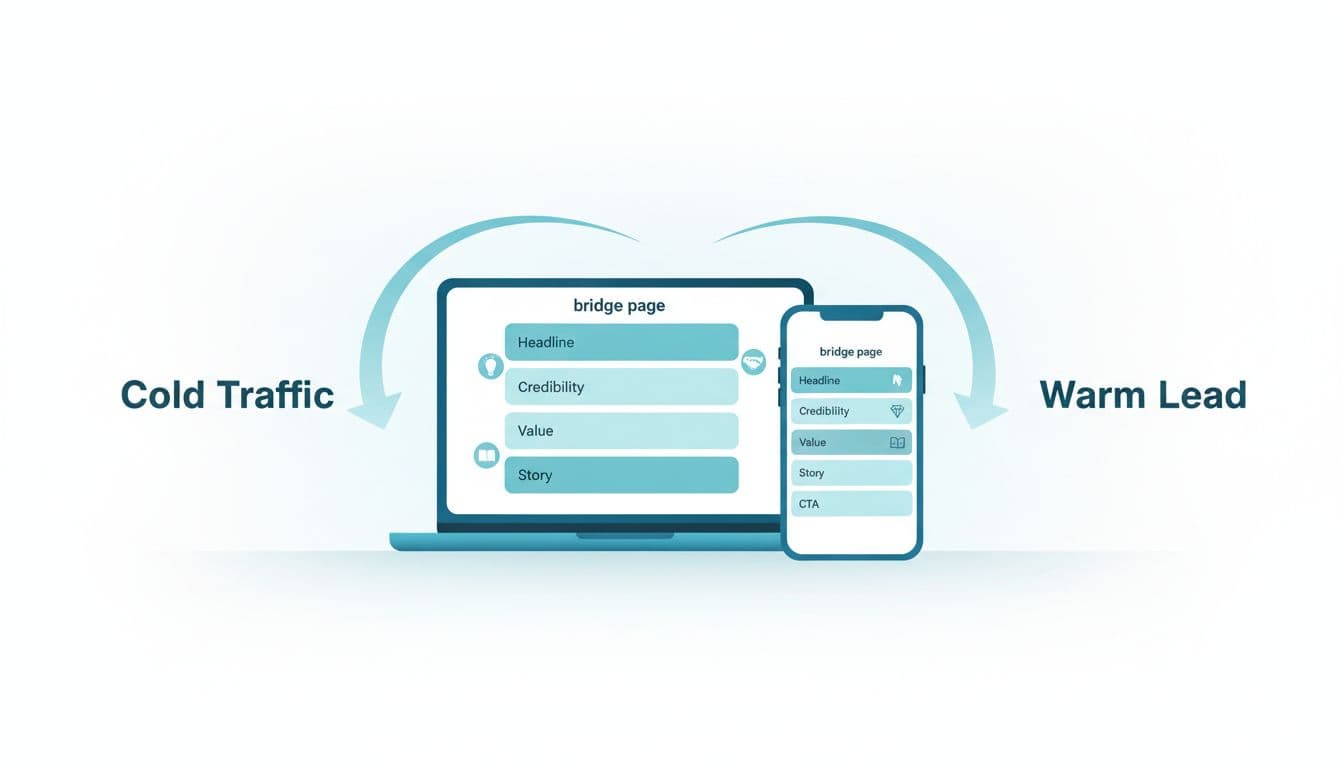
Cold traffic doesn’t wake up looking for your opportunity. They click because something caught their eye, then their guard goes up fast.
That’s why sending people straight from an ad to a Multilevel Marketing presentation usually flops. A bridge page formula fixes the handoff. It gives strangers one clean “middle step” to understand what you do, trust you, and take a small action.
If you’re building a Home Based Business, pushing a Side Hustle, or trying to Make Money Online without sounding hypey, this is the page that makes your follow-up easier. For extra context on how a bridge step fits into a funnel, see this bridge funnel explainer.
Above-the-fold layout (what the first screen must do)
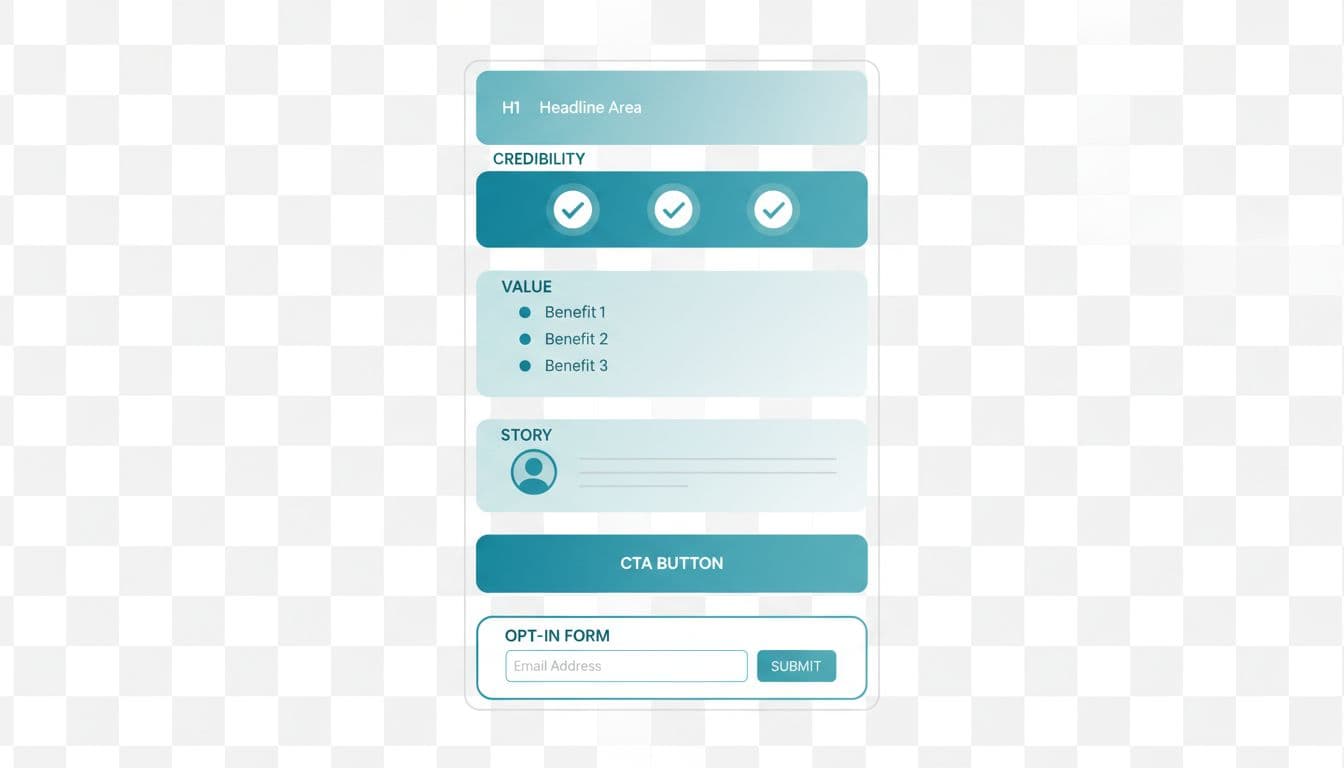
In 2026, assume most visitors are on mobile, distracted, and skeptical. Your first screen should load fast, explain the benefit, and make the next step obvious.
A simple, high-converting above-the-fold layout:
- H1 headline (benefit-first, not company-first)
- 1–2 sentence subhead (who it’s for, what they’ll get)
- 3 short bullets (specific outcomes, not promises)
- One CTA (button plus optional email field)
- Trust line (privacy note + no income claims)
If you want a quick layout reference, this network marketing lead magnet template is a solid example of how landing pages keep the top section clean.
Now let’s write the five parts.
Section 1: Headline that matches the click
Goal
Make the visitor feel, “I’m in the right place,” in under three seconds.
Best practices
- Match the ad’s promise and wording, consistency lowers resistance.
- Lead with the problem and the “small win,” not your company name.
- Keep it concrete, avoid big claims or lifestyle talk.
Swipe copy examples
Example A
Headline: “New to online income, but short on time?”
Paragraph: “This one-page guide shows the 3 steps I use to turn cold clicks into real conversations, without spammy DMs.”
CTA: “Send me the guide”
Example B
Headline: “A simple start for busy side-hustlers”
Paragraph: “If you want a repeatable way to promote your offer, this quick training shows the exact page flow I use.”
CTA: “Watch the 7-minute video”
Section 2: Credibility without hype (trust signals)
Goal
Reduce fear. People don’t need proof you’re famous, they need proof you’re safe.
Best practices
- Use “human proof”: your role, your values, what you do and don’t do.
- Add 2–3 trust signals (short testimonial snippet, simple stats you can verify, or a “what to expect” list).
- Set expectations: “No pressure,” “educational,” “results vary.”
Swipe copy examples
Example A
Headline: “What you’ll get here (and what you won’t)”
Paragraph: “You’ll get clear steps and simple resources. No income claims, no pressure, and no blowing up your friends list.”
CTA: “Show me the resources”
Example B
Headline: “Why listen to me?”
Paragraph: “I build simple funnels for network marketers who want a steady routine. I’ll show you the process, then you decide.”
CTA: “See the process”
Section 3: Value delivery (your lead magnet promise)
Goal
Trade real help for permission to follow up (email or SMS). This is where the page earns the opt-in.
Best practices
- Offer one focused asset: ebook, video, or mini training, not all three.
- Make the value specific: who it’s for, what it helps them do this week.
- Tell them what happens next (confirmation email, follow-up timing).
Swipe copy examples
Example A
Headline: “Free checklist: the 10-line bridge page”
Paragraph: “Copy this checklist and build a clean page that warms up cold traffic before you ever pitch.”
CTA: “Get the checklist”
Example B
Headline: “A beginner-friendly script pack”
Paragraph: “Use these short scripts to explain your offer with clarity and respect, especially in Multilevel Marketing.”
CTA: “Send the scripts”
Section 4: Micro-story (relatable, not dramatic)
Goal
Create connection. A micro-story is a mirror, it helps them see themselves in your next step.
Best practices
- Keep it short: problem, turning point, new simple routine.
- Make it about the system, not your “big win.”
- Include a grounded line like “I’m still learning,” or “this is what I do now.”
Swipe copy examples
Example A
Headline: “I stopped trying to ‘convince’ people”
Paragraph: “Once I focused on one page, one free resource, and calm follow-up, my conversations got easier.”
CTA: “Use my same page flow”
Example B
Headline: “My rule: no pressure, just clarity”
Paragraph: “If someone wants to build a Home Based Business, I give them a simple next step and space to decide.”
CTA: “Show me the next step”
Section 5: One clear CTA (and a compliant footer)
Goal
Get a single action. Not “learn everything,” just “take the next step.”
Best practices
- One primary CTA button, one outcome, one form.
- Use action language, not “submit.”
- Add a short footer note for privacy and FTC clarity.
Swipe copy examples
Example A
Headline: “Start with the free training”
Paragraph: “This is the exact bridge page structure I use to turn cold clicks into warm leads, without income hype.”
CTA: “Watch the training”
Example B
Headline: “Get the quick-start ebook”
Paragraph: “A simple read you can finish tonight. Then you’ll know what to build first and what to ignore.”
CTA: “Email me the ebook”
A simple footer you can adapt (keep it visible near the form):
FTC: “Some links may be affiliate links. If you choose to buy, I may earn a commission at no extra cost to you.”
Privacy: “Your info is used to send the resource and follow-up tips. Unsubscribe anytime.”
CTA options that fit cold traffic (pick one)
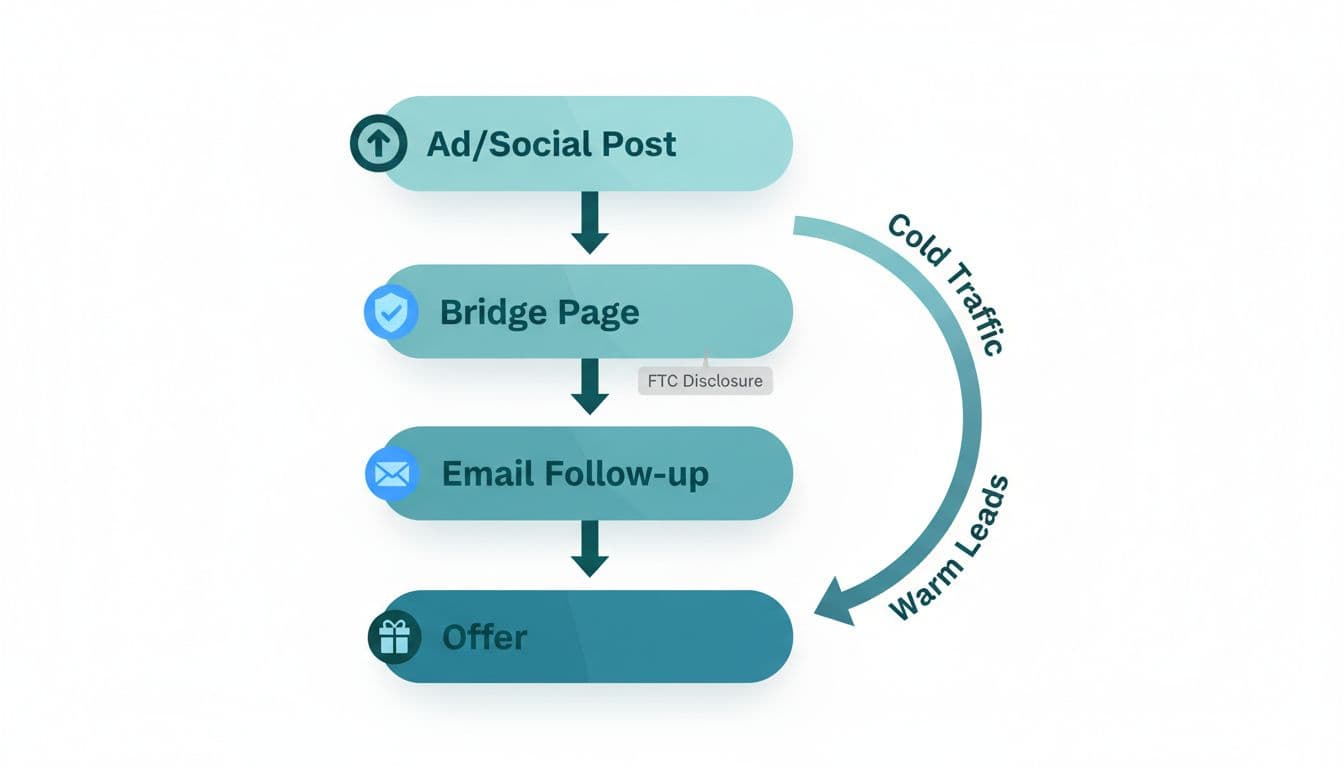
Choose the format that matches your audience and your follow-up style:
- Ebook (PDF): best for practical, printable steps.
- Short video: best if you sell with voice and tone.
- Mini training (10–15 minutes): best if you want higher intent leads.
Then follow with 3–5 simple emails that teach, set expectations, and invite the next step. If you want ideas for warming people up over time, this article on lead nurturing strategies is a useful refresher.
Bridge page essentials checklist (2026 standards)
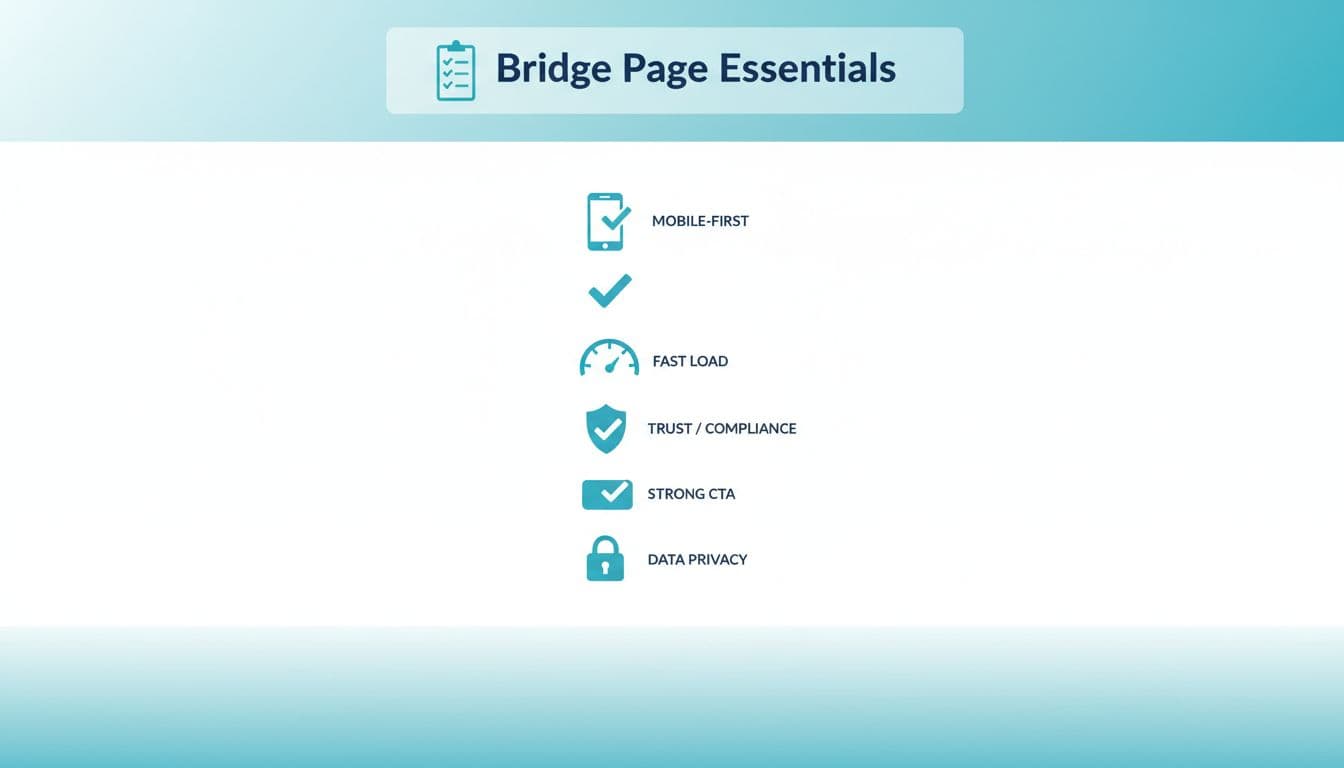
Keep this tight and you’ll beat most pages in your niche:
- Mobile-first spacing, big buttons, readable font sizes
- Fast load (compress images, remove heavy scripts)
- Trust-first language (no pressure, no wild claims)
- One CTA (don’t split attention)
- Privacy-first (clear disclosure, unsubscribe option)
FAQ
Do I need a bridge page if I already have a company page?
Yes. Company pages are built to present the offer. A bridge page is built to prepare the person, especially when they don’t know you yet.
Should I put my company name on the bridge page?
Usually no, not above the fold. Lead with the outcome and the resource. You can explain details after they opt in or in a short “what this is” line.
How long should my bridge page be?
One scroll on mobile is enough for most cold traffic. If you add more, it should support trust, not add noise.
Can I mention results?
Talk about process, effort, and what’s possible. Avoid income claims, “guaranteed” language, and lifestyle promises. Keep it honest: results vary.
Conclusion
A good bridge page formula doesn’t convince people to join. It helps the right people feel safe enough to take a small step, then lets your follow-up do the heavier lifting.
Keep your page simple, compliant, and human. Build trust first, then invite the next action.